 TalkTuck
 Ideas & use cases
What should a good Apple Watch recording app do?
This article preserves the product version, test conditions and views at the time of writing. Features, pricing, data handling and download options may have changed; consult the current product page.
Often, the moments worth recording don't wait until we're ready.
An idea arrives on a walk; a friend says something insightful; someone makes an important suggestion in a meeting. By the time you've taken out your phone, unlocked it, and found a recorder, the moment may have passed.
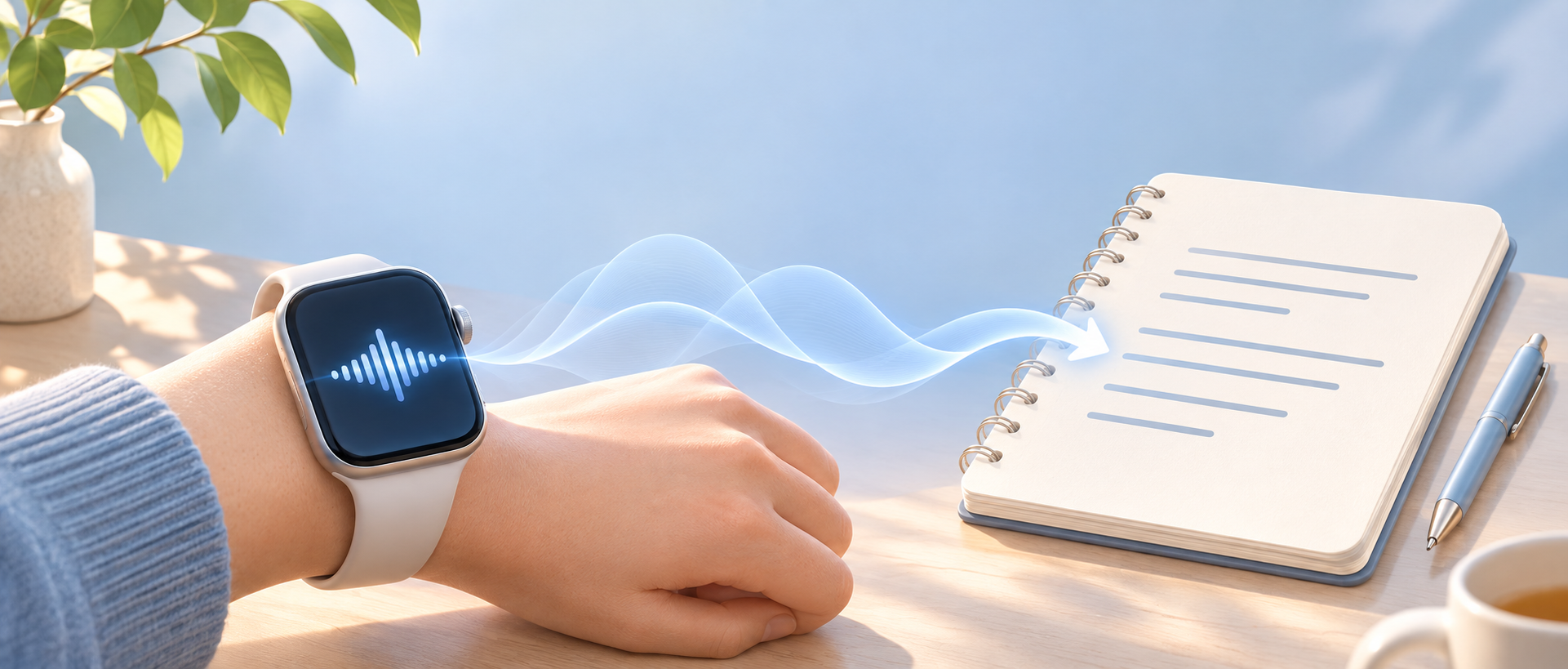
Apple Watch is a natural fit: it's already on your wrist, ready when you raise your hand.
But a good watch recorder involves more than whether it can record. Will the audio be saved? Can you find it later? Can you quickly review an hour of conversation? These are questions I've been thinking about while building TalkTuck.
01. Capturing the audio comes first
The most basic and important job of a recorder is to preserve sound reliably. A meeting, interview, or conversation with family often can't be repeated. More than the number of features, people may want to know:
- Is it actually recording after I press record?
- How long has it been recording, and what is its current state?
- If it is interrupted, will I know what happened?
- Was the original audio saved after I stopped?
These sound basic, but they determine whether people can trust the tool in important situations. A good recorder should make its state clear and do its best to protect audio already captured. On a watch, where battery, storage and connectivity are limited, long recordings and recovery from interruptions require repeated testing.
The original audio comes first. Transcripts and summaries can be generated again; a missed sound may never come back.
02. Raise your wrist and record, with simple controls
Convenience is the watch's advantage. If starting takes many taps on a tiny screen, much of that benefit disappears.
I want to raise my wrist and start when something matters, see the time and state while recording, and pause, resume or stop when needed. Clear, easy-to-hit controls that avoid accidental taps while walking or talking are more useful than cramming every feature onto the watch.
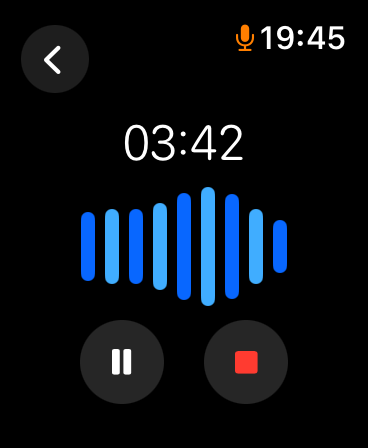
TalkTuck's Apple Watch version is being developed around these situations. Its current recording screen shows duration and a waveform, with controls to pause, resume and stop.
03. Make it easy to review on the phone
A watch is good for capturing; a phone is better for reviewing, organizing and sharing. Ideally, you record on the watch, then find the recording on iPhone to listen, read and organize it.
TalkTuck is designed to save watch recordings on the watch first, then transfer them to the paired iPhone. You can capture sound even when the phone isn't at hand.
Transfers depend on connection state and system scheduling. Especially for long recordings, people need understandable transfer status and a clear indication of when it is safe to continue. “Transfer started” and “the phone has received everything” are different things. This is still being refined.
04. Text makes the important parts easier to find
Once audio is saved, how do you find the part you want? A few seconds can be replayed directly. Finding one decision in an hour-long meeting is harder if you must listen from the start.
A transcript lets you browse for the approximate location, then return to the audio for tone and details. For example: “When we discussed the launch date, what did everyone finally say?” Reading first and replaying the relevant passage is often easier than repeatedly dragging a timeline.
TalkTuck offers text preview on iPhone and lets you replay audio alongside text in recording details. For a more complete transcript, cloud processing may be available as offered by the applicable version.
Transcription is not always accurate. Names, specialized terms, accents and overlapping speakers all affect recognition. Text helps, but important details should be checked against the original audio.
05. Summaries make recordings useful
Transcription answers “What was said?” A summary can help answer “What does it mean for me?” The same recording can be organized in different ways.
After a meeting: action items
An hour of discussion may leave only a few things to carry forward: decisions, open questions, and who does what next. A summary can first extract these into meeting notes for review, so people can participate rather than relying entirely on memory or taking notes throughout.
After class: a study outline
You don't necessarily need to replay every word. Start by organizing the main concepts, examples and unanswered questions from the transcript, then replay the parts you need.
After an interview: people and ideas
Listening carefully and asking follow-up questions matter during an interview. Afterwards, AI can first organize the topics and identify points worth pursuing; then return to the audio to verify them.
A quick recording: connect scattered thoughts
An idea captured on a walk may last only three or five minutes. Later, organizing what you were thinking, why, and what you might do next can turn an archive into a starting point for further thought.
A summary doesn't decide what matters for us; it helps us find what deserves another look. AI can misunderstand context or state guesses too confidently. Check times, numbers, owners and important decisions against the transcript and audio. Something left unresolved shouldn't be summarized as a settled decision.
06. Privacy and choice matter too
Recordings often contain work discussions, personal ideas and other people's voices. A trustworthy tool should make clear where data is stored, when it is uploaded, and how to delete or export it.
TalkTuck recording and local text preview can take place on device. Before cloud AI processing, understand and confirm how the data will be handled. When recording others, obtain their consent beforehand and follow the rules of the setting. Convenience should rest on mutual respect.
Record it so it can be useful later
I want Apple Watch recording to be more than a button on the wrist. It should start quickly, do its best to protect original audio, and make content easy to find later. Text and summaries can turn sound into material to revisit, organize and think with.
TalkTuck is being developed in that direction: the watch captures, iPhone helps you replay and organize, and transcription and summaries create more uses for recordings. Features and public availability will evolve with the versions.
Have you ever been sure you'd remember something, only to find it gone a few days later? Next time, perhaps record it first.