Listen again
Find the words that matter and return to the original tone and context.
Record on your wrist, revisit on your phone.
From Apple Watch and iPhone to Mac, keep your conversations close.
App Store availability varies by region · Requires iOS 26+ and watchOS 10+
The Mac installer is unsigned and not notarized. Release notes
A voice, close at hand.
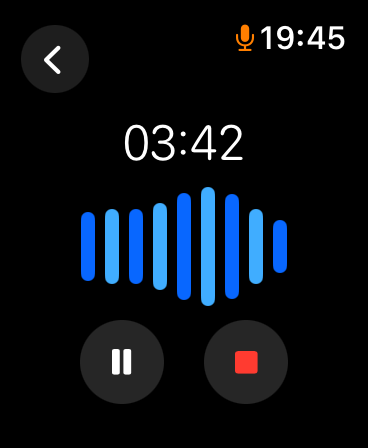
A passing instruction, an idea on a walk, a conversation worth remembering. Start recording on your wrist and stay present.
See the elapsed time and waveform, and pause, resume, or stop when you need to. Audio is saved on the watch first, then transferred to your paired iPhone.
Apple Watch development preview on a real device. Transfer timing depends on connectivity and system scheduling.
You saved the sound. What next?
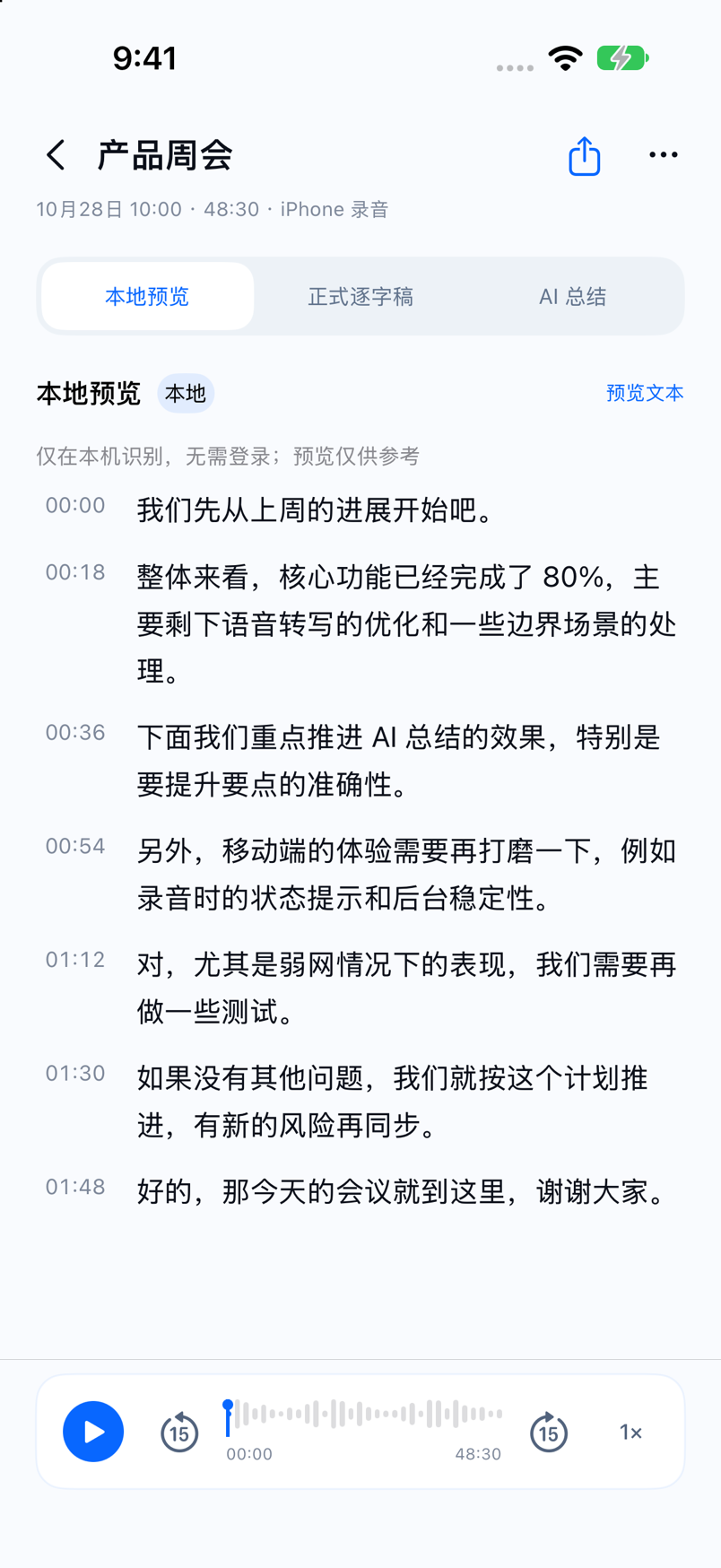
You don't have to listen from the beginning. Browse the transcript for a clue, return to the audio, and organize the conversation when you need it.
iPhone interface shown with simulated content. Cloud AI processing requires confirmation as indicated in the app version.
Come back to
what was said.
Let a recording grow.
Recording is a starting point. Turn a long conversation into useful leads, or save a fleeting idea for your future self.
Find the words that matter and return to the original tone and context.
Organize discussions, questions, and actions from a transcript; check important details against the audio.
Make recordings easier to revisit and leave a trail for the next idea.
On recording and creating.
Thoughts on recording, transcription and AI,
and notes from building the product.
From your wrist to your desk.
Capture on your wrist, check the recording status, and transfer to your paired iPhone.
Download on the App Store ↗Record, preview text locally, replay audio and organize your recordings. Availability depends on the version.
Download on the App Store ↗Record microphone and system audio, transcribe locally, organize recordings and connect external agents.
Basic Mac recording and on-device transcription are free. Mobile and cloud services are subject to the applicable version's terms. The Mac preview requires Apple Silicon and macOS 14 or later and is not notarized by Apple.
GOOD TO KNOW
On Mac, recording and local transcription can take place on device. When you sign in to a TalkTuck account, recording information, finalized transcripts, groups and audio are synced by default; you can pause syncing in settings. Temporary live captions are not uploaded. Cloud AI processing and third-party sharing require separate actions. Privacy policy ↗
TalkTuck is available on the App Store in supported regions. It requires iOS 26 or later; Apple Watch requires watchOS 10 or later and a paired iPhone. Open the App Store ↗
The Mac preview can record microphone and system audio, import audio, transcribe locally, replay passages, organize and export recordings, and connect external agents.
Transcription and summaries can be wrong, especially with names, numbers and overlapping voices. Verify important details against the transcript and original audio, and review how your chosen AI provider handles data.
Before using cloud processing, read the AI data processing disclosure and privacy policy. The policy also explains account and data deletion.
RECORD. REVISIT. REMEMBER.