 TalkTuck
I built an all-day Apple Watch recording system
This development note records the implementation and limited tests at the time. Features may have changed; long-duration recording reliability still requires real-world verification.
Record on the watch, transfer to the phone, and turn it into text. I got the first demo working quickly; making it dependable took much longer.
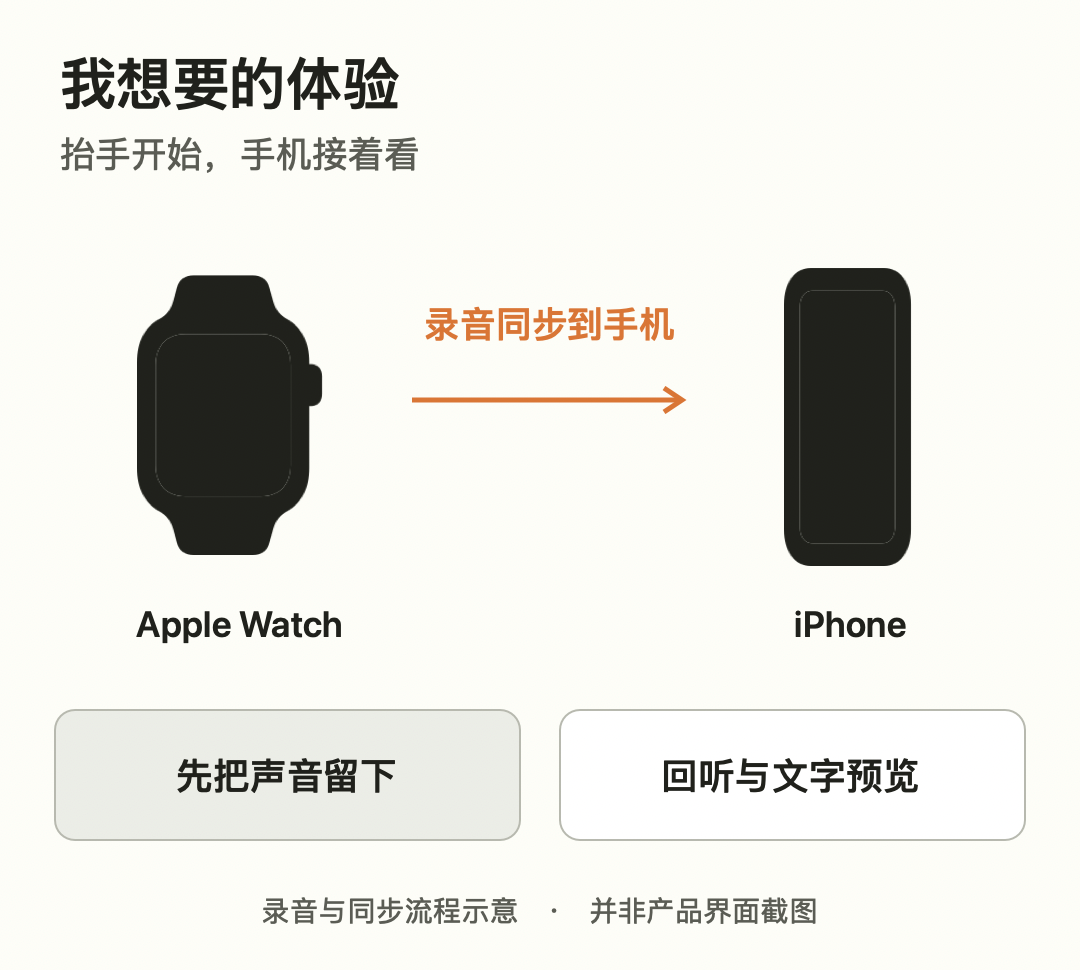
I recently added an Apple Watch companion to TalkTuck, the recording app I build for myself. The experience I wanted was simple: start on the wrist, let the phone receive content and show text as it arrives, keep recording through a temporary disconnect, and fill gaps when conditions recover.
The first demo came together quickly: the watch recorded, the phone received, and text appeared. It was easy to think the feature was almost done. But longer recordings, lowering my wrist, and interrupted connections exposed problems the smooth demo hadn't shown.
Why has the watch recorded two minutes while the phone shows only one? The phone has audio; why has the text stopped? If I lower my wrist or lose the connection, will the whole recording survive? I split the work into three goals: reliable capture, stable transfer, and usable text. This is what I chose and why.
Recording: deceptively simple, and the foundation of sync
Recording looks like a button press, but transfer and recognition depend on saved audio. If segments or times are unclear, it's hard to distinguish missing capture from missing transfer. I treated recording as the foundation of the whole chain: capture first, transfer second, turn it into text last.
If recording could continue only while the phone was online, people would always have to watch the connection. So the watch saves audio locally first and hands it to the phone in small segments.
Each segment has a recording ID, sequence number, start position and count of valid audio frames. Sealed segments are not modified. Local recovery records and the pending-transfer queue track progress separately; the watch can keep saving later audio while the phone is unavailable.
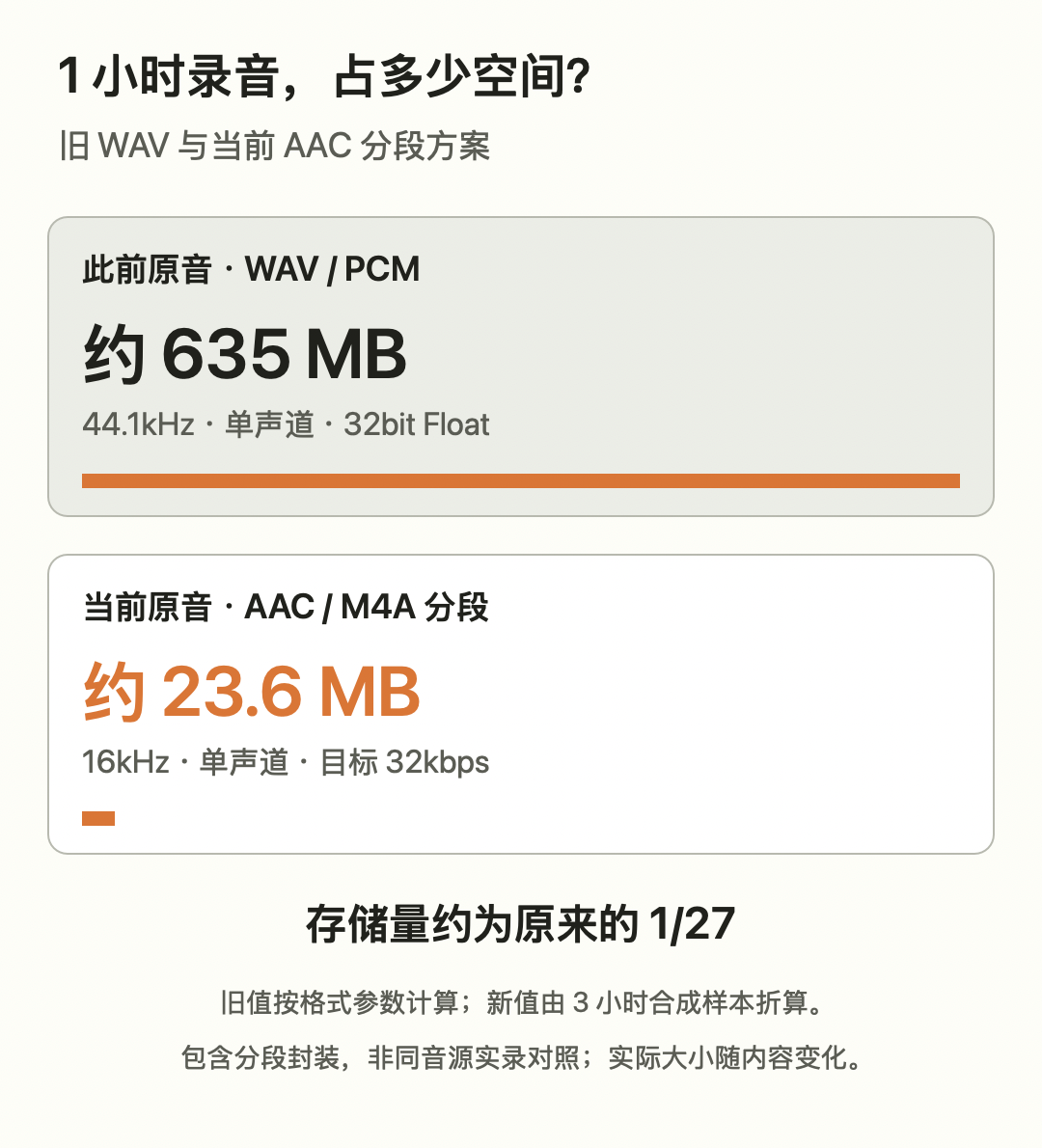
I also made a format trade-off. Earlier recordings were large and harder to store and transfer. New recordings used 16 kHz mono AAC at a target 32 kbps, sealed into 10-second M4A segments. AAC is the codec; M4A is the container. Using the same segments for storage, sync and local preview reduced repeated conversion.
A one-hour comparison makes the difference clearer: the old 44.1 kHz mono 32-bit Float WAV contains about 635 MB of audio data; the AAC segment scheme worked out to about 23.6 MB from existing test samples, roughly 1/27 as much. This eases watch storage and transfer. The comparison uses a calculated old-format value and an extrapolation from three hours of synthetic samples including M4A containers, not the same one-hour live source; actual sizes vary.
At the end, I generate a final manifest listing the expected segments. Each has a SHA-256 checksum, a fingerprint of the file's contents. The phone can check for missing or corrupted segments and timeline gaps instead of trusting only a player's displayed duration.
Original segments remain available. Text can be edited and recognition may change; I need a route back to the sound. Storage has a cost, but it can be managed. Audio that was never saved can't be recreated by later recognition.
Transfer: the part with the most surprises
Paired devices don't guarantee an immediate app channel. Foreground transfer doesn't mean background delivery will be immediate; handing a file to the system doesn't mean the phone has saved it completely. With the screen off, disconnections, restarts and duplicates, the same segment can arrive through different paths. Fast transfer, background handoff, recovery, acknowledgement and deduplication all need coordination.
The underlying framework is Apple's WatchConnectivity. When a phone preview is open and the immediate channel is available, I prefer sendMessage. Otherwise I package original segments and hand them to the system's background transferFile queue, normally batching about 60 seconds of content; an event such as ending a recording can submit earlier.
One concrete problem: my fast-transfer threshold was 48 KB, but a 10-second M4A segment measured about 65 KB on a real device and missed the intended fast path. I later split suitable segments into chunks no larger than 32 KiB, falling back to file transfer if a message failed or timed out. The 48 KB was my code's threshold at the time, not an Apple universal limit.
On disconnect, unacknowledged segments remain in a durable watch queue. The phone saves received segments, checks sequence, size and SHA-256, then acknowledges them; duplicates are removed and missing segments are retried. A recording is fully received only after checking the final manifest and saving the recording index.
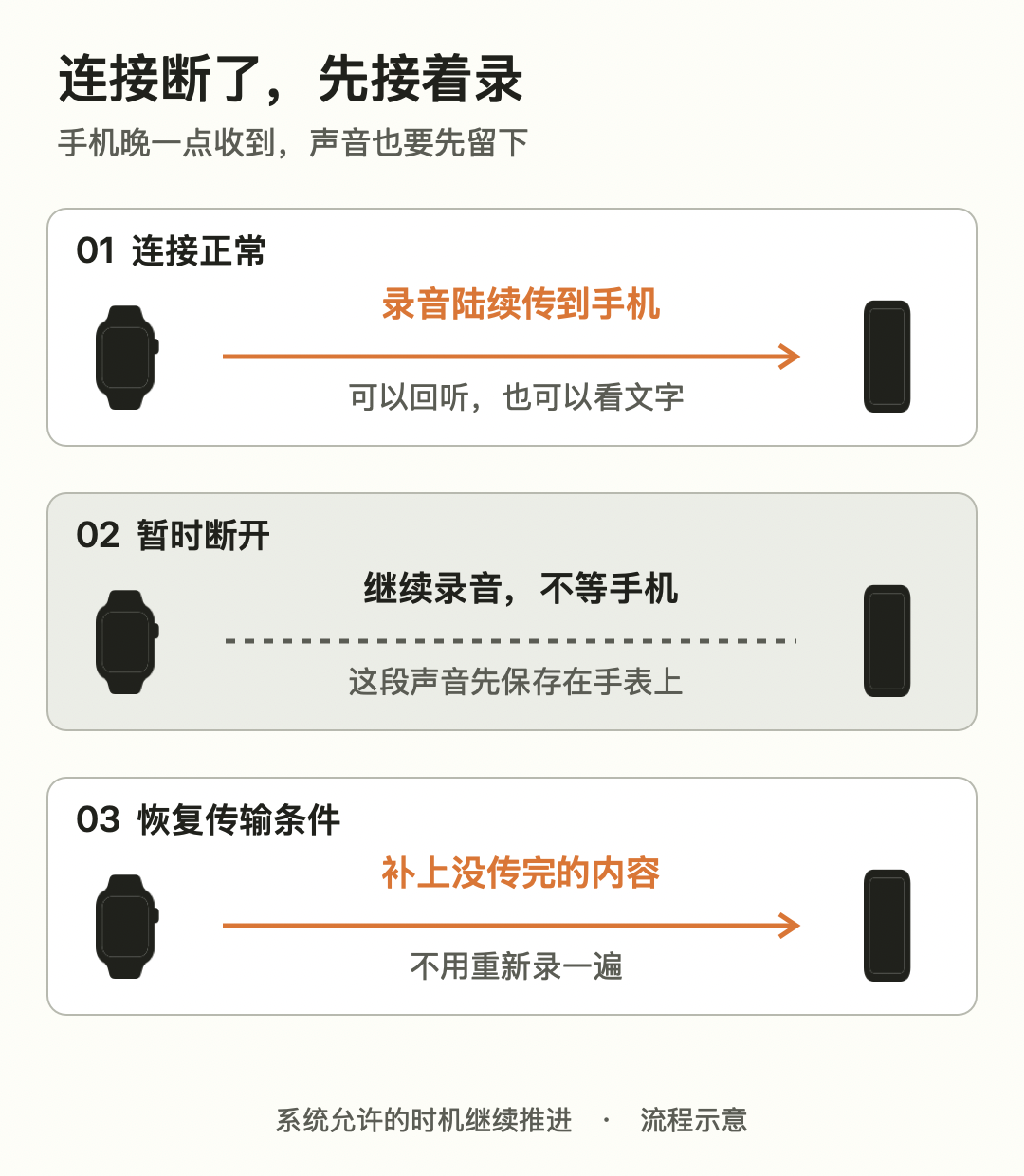
I accepted a trade-off: background content may arrive later. Rather than demand that the phone's counter match the watch every second, I prioritize saving, recovery and complete receipt. This also reduces dependence on frequent back-and-forth communication and keeping the screen on, but battery savings require measurement; they cannot be inferred from design alone.
In one manual disconnect retest, a 121.2-second recording produced 13 segments. Watch and phone audio matched segment by segment in bytes and SHA-256, the timeline was continuous, and phone playback included speech from the disconnected interval. This is a short-recording result; longer use still needs testing.
Transcription: offline on the phone, as audio arrives
Once audio reaches the phone, I want to turn it into text locally. Once the offline recognition capability and required models are ready, transcription itself does not require the internet; transfer from watch to phone still uses their device connection.
The live preview updates incrementally with arriving segments and does not require every sentence to be final immediately. One problem appeared here: the complete 121.2 seconds of original audio had arrived, but the local preview stopped at 30 seconds. Text at a segment boundary was not yet final; the old state logic treated that as a timeout failure and blocked subsequent work.
First, I separated the receive queue from recognition progress. The device saves how far processing has reached and recognizes received segments incrementally. I also removed repeated reconstruction of the entire audio on receipt, avoiding reprocessing all earlier material for each new segment.
Second, I allowed the local preview to retain provisional results and continue with later segments, preserving completed text and progress during recovery. After the fix, the preview's processed range advanced from 30 seconds to the full 121.2 seconds while preserving earlier text. Two lines remained provisional, so I did not call the whole result final.
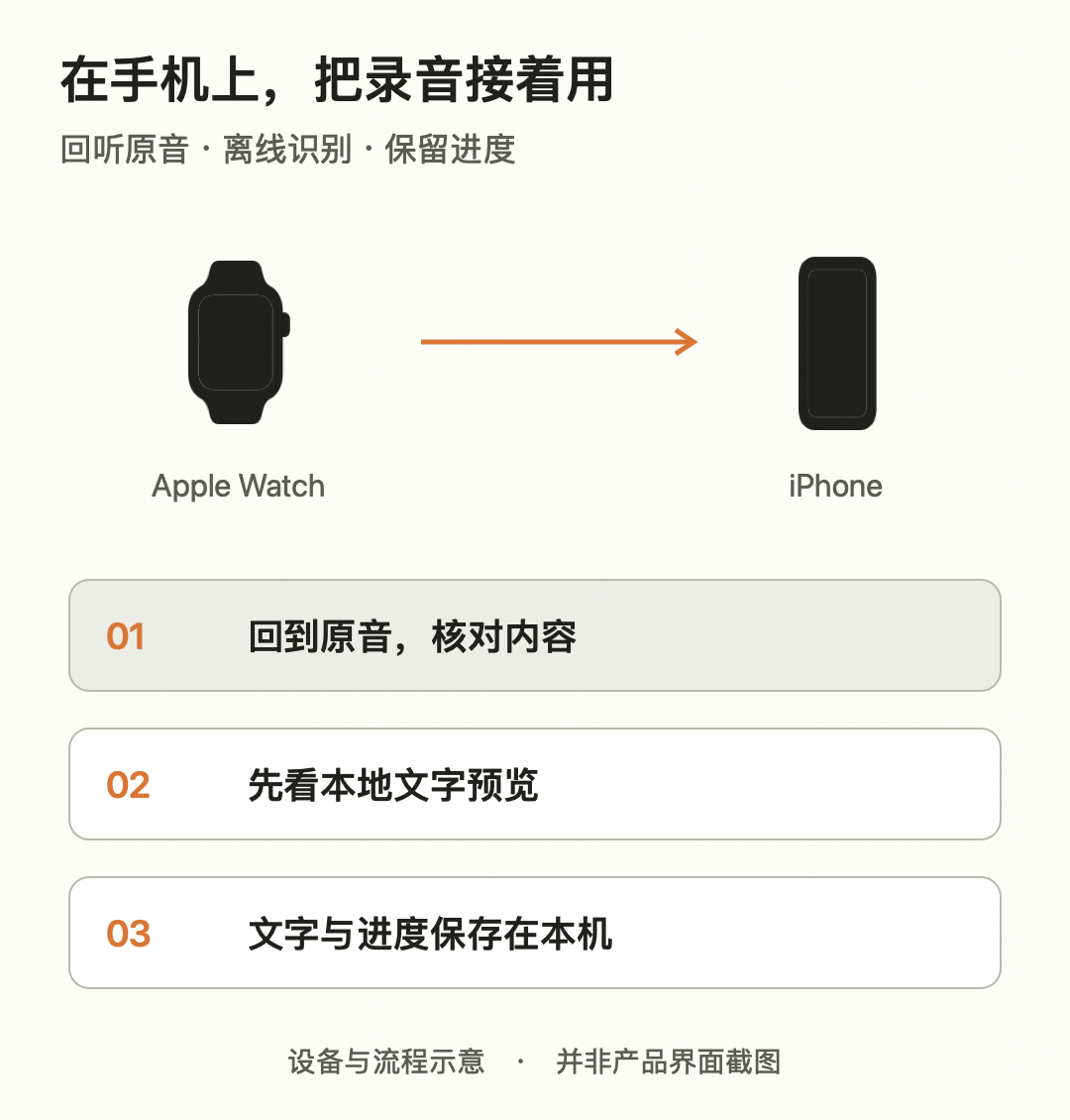
Stopping a recording does not mean all text is finished at that second. The phone may still receive remaining segments and process unrecognized material. I therefore record and display “original audio fully received,” “text processed to this point,” and “result finalized” separately rather than collapsing them into a single completed state.
The verified result is that local preview retained existing content and advanced to the end of this short recording; that does not mean the entire transcript was corrected. The audio remains available for uncertain passages.
The immediate improvement is offline transcription usability: whether text continues updating, progress resumes, and provisional results avoid blocking later content. I don't yet have enough paired comparisons to claim improved recognition accuracy. Fixing missed processing or stalls is different from verifying every recognized word.
The foundation works; all-day use still needs testing
Looking back, the hard part was ordering the goals: save audio reliably first, recover transfer after connection changes, then progressively turn received material into useful text. Preserving original audio, accepting delayed delivery and allowing provisional text each have costs, but make the boundaries clearer.
To check long recordings, I ran a 12-hour-scale synthetic-audio test: the recording engine generated and checked 4,320 separate segments and resumed at the correct position after a simulated restart at hour six. A separate 12-hour-scale transfer test included disconnects, restarts and lost acknowledgements and ended with matching checksums. These validate data handling and recovery, not 12 hours of continuous offline transcription or a watch battery-life result from wearing it for 12 hours.
Real-device verification covered short recording sync, local preview, retransmission after manual disconnection, and playback. Next I want longer actual recordings to test battery life, screen-off synchronization and extended offline recognition separately.
The demo arrived quickly; the time afterwards went into reliability and experience. This is a record of those decisions. Once all-day real recordings and power measurements are available, I'll write again.